> ## Documentation Index
> Fetch the complete documentation index at: https://docs.limitless.exchange/llms.txt
> Use this file to discover all available pages before exploring further.
# Wallet Types
> Overview of the three wallet types supported on Limitless Exchange
Limitless supports three wallet types: **Externally Owned Accounts (EOA)**, **Embedded Wallets**, and **Smart Wallets**. Each type has different characteristics and tradeoffs for users.
## Externally owned account (EOA)
An **Externally Owned Account (EOA)** is a blockchain account controlled by a user via a private key. The private key is a secret value used to sign transactions. It must be kept secure and never shared.
**Common EOA wallet interfaces:** [MetaMask](https://metamask.io/), [Rainbow](https://rainbow.me/en/), [Coinbase Wallet](https://www.coinbase.com/en-pt/wallet), [Rabby](https://rabby.io/), and similar browser extensions or mobile apps.
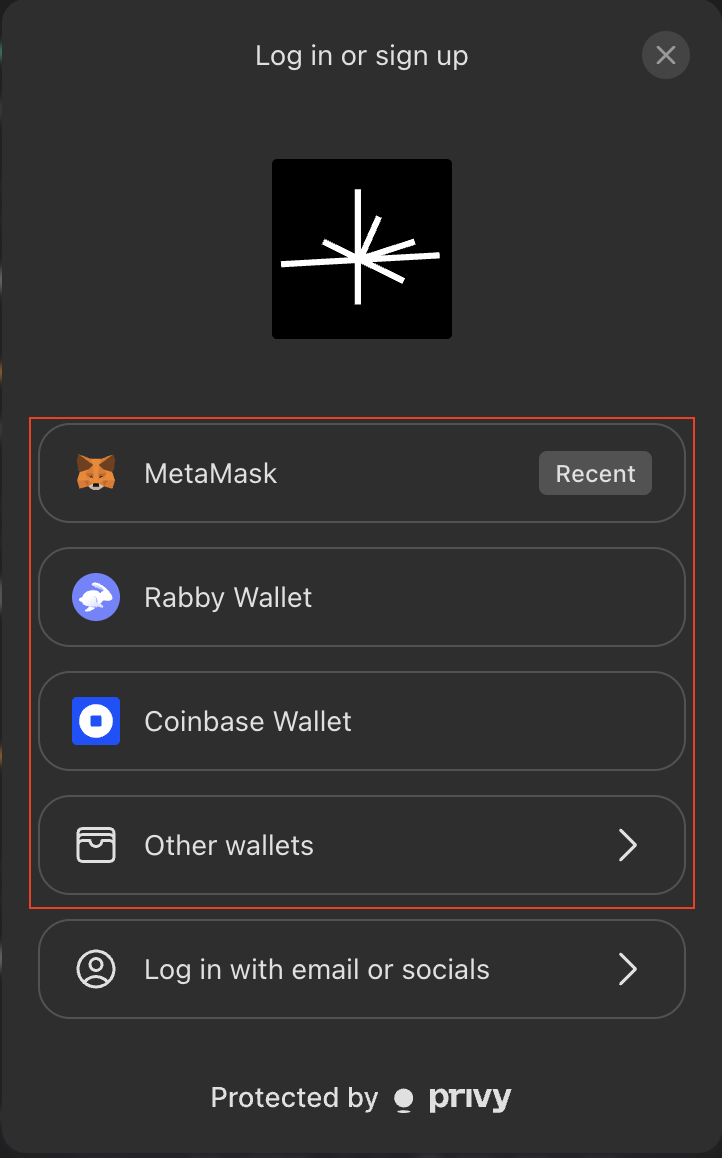
**On Limitless:** You connect an EOA from the main login menu. For every on-chain transaction, you must approve it in your wallet interface (e.g., MetaMask).
 ## Embedded wallet
An **Embedded Wallet** is a non-custodial wallet created and operated within an application by a third-party provider, without a separate wallet app.
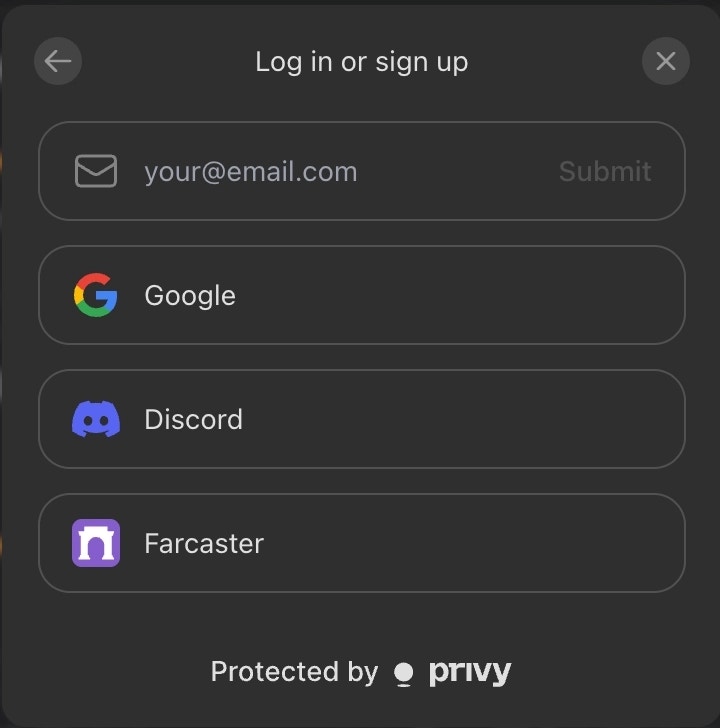
**On Limitless:** When you sign in via social login (e.g., Google, Twitter), an embedded wallet is created automatically after authentication. You can execute transactions directly from the app without an extra approval step in an external wallet.
## Embedded wallet
An **Embedded Wallet** is a non-custodial wallet created and operated within an application by a third-party provider, without a separate wallet app.
**On Limitless:** When you sign in via social login (e.g., Google, Twitter), an embedded wallet is created automatically after authentication. You can execute transactions directly from the app without an extra approval step in an external wallet.
 ## Smart wallet
A **Smart Wallet** is an account implemented as a smart contract on-chain. It supports features such as:
* Account recovery
* Programmable logic for custom behavior
* Gas fee abstraction and batched transactions
**On Limitless:** Smart wallets are used primarily to remove the need to hold native tokens (e.g., ETH) to pay transaction fees. You sign in via social login, and a smart wallet instance is created based on your embedded wallet. Limitless sponsors transaction fees, so you only need to hold **USDC** for trading activity.
## Summary
| Wallet Type | Created When | Fee Responsibility | User Experience |
| ------------ | ----------------------------------- | --------------------- | ---------------------------------------------------- |
| **EOA** | External wallet connection | User pays gas in ETH | Requires approval per transaction in external wallet |
| **Embedded** | Social login | User pays gas in ETH | In-app transactions; no external approval step |
| **Smart** | Social login (from embedded wallet) | Platform sponsors gas | You hold only USDC; no native token needed for fees |
## Depositing and withdrawing funds
Limitless does not hold a platform balance — your USDC always lives in your wallet on **Base**. Depositing and withdrawing therefore look different depending on your wallet type.
### Depositing
* **EOA wallet**: bridge or send USDC on Base to your EOA address. Once the balance is on Base, it is immediately usable for trading.
* **Embedded or smart wallet** (social login): the Limitless UI shows your embedded and smart wallet addresses. Send USDC on Base to that address to fund the account. You do not need to hold ETH for gas when trading from a smart wallet.
### Withdrawing
* **EOA wallet**: your USDC already sits in your own wallet. To move it elsewhere, send it from your wallet interface (MetaMask, Rabby, etc.) like any other ERC-20 transfer on Base. Limitless does not need to be involved.
* **Embedded or smart wallet** (social login): use the **Withdraw** action inside the Limitless UI to transfer USDC from your smart wallet to another address on Base. Gas is sponsored by the platform.
* **Programmatic partners**: server-managed wallets withdraw via the [`POST /portfolio/withdraw`](/api-reference/portfolio/withdraw) endpoint. The destination address must either be the authenticated account, its smart wallet, or an allowlisted withdrawal address on the profile.
All deposits and withdrawals settle on **Base**. Sending USDC from another chain (Ethereum mainnet, Arbitrum, etc.) without bridging first will not be credited — bridge to Base before sending.
## Smart wallet
A **Smart Wallet** is an account implemented as a smart contract on-chain. It supports features such as:
* Account recovery
* Programmable logic for custom behavior
* Gas fee abstraction and batched transactions
**On Limitless:** Smart wallets are used primarily to remove the need to hold native tokens (e.g., ETH) to pay transaction fees. You sign in via social login, and a smart wallet instance is created based on your embedded wallet. Limitless sponsors transaction fees, so you only need to hold **USDC** for trading activity.
## Summary
| Wallet Type | Created When | Fee Responsibility | User Experience |
| ------------ | ----------------------------------- | --------------------- | ---------------------------------------------------- |
| **EOA** | External wallet connection | User pays gas in ETH | Requires approval per transaction in external wallet |
| **Embedded** | Social login | User pays gas in ETH | In-app transactions; no external approval step |
| **Smart** | Social login (from embedded wallet) | Platform sponsors gas | You hold only USDC; no native token needed for fees |
## Depositing and withdrawing funds
Limitless does not hold a platform balance — your USDC always lives in your wallet on **Base**. Depositing and withdrawing therefore look different depending on your wallet type.
### Depositing
* **EOA wallet**: bridge or send USDC on Base to your EOA address. Once the balance is on Base, it is immediately usable for trading.
* **Embedded or smart wallet** (social login): the Limitless UI shows your embedded and smart wallet addresses. Send USDC on Base to that address to fund the account. You do not need to hold ETH for gas when trading from a smart wallet.
### Withdrawing
* **EOA wallet**: your USDC already sits in your own wallet. To move it elsewhere, send it from your wallet interface (MetaMask, Rabby, etc.) like any other ERC-20 transfer on Base. Limitless does not need to be involved.
* **Embedded or smart wallet** (social login): use the **Withdraw** action inside the Limitless UI to transfer USDC from your smart wallet to another address on Base. Gas is sponsored by the platform.
* **Programmatic partners**: server-managed wallets withdraw via the [`POST /portfolio/withdraw`](/api-reference/portfolio/withdraw) endpoint. The destination address must either be the authenticated account, its smart wallet, or an allowlisted withdrawal address on the profile.
All deposits and withdrawals settle on **Base**. Sending USDC from another chain (Ethereum mainnet, Arbitrum, etc.) without bridging first will not be credited — bridge to Base before sending.